



Smartphone batteries are essential for keeping our devices operational throughout the day. As technology advances, so does our dependency on mobile devices, making battery life a crucial aspect of smartphone usage. This article explores practical tips to extend the battery life of your smartphone, ensuring that your device stays powered longer during everyday use.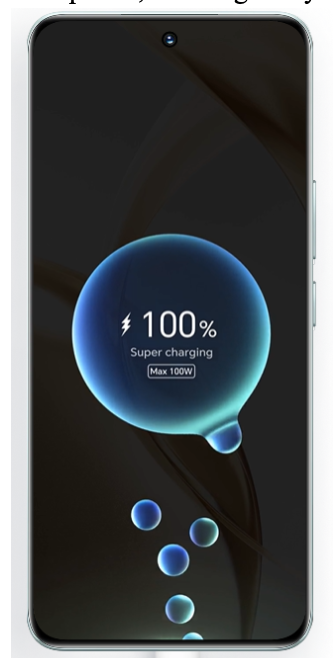
The Ways to Maximize Smartphone Battery Life
- Adjust Your Screen Brightness
One of the simplest yet most effective ways to save battery is by managing the brightness of your smartphone screen. Automatic brightness settings adjust the screen according to ambient light, which can help conserve battery life. Lowering the brightness manually when indoors or during the night can also significantly reduce battery consumption.
- Manage Your Apps Effectively
Apps can drain your battery, especially if they are running in the background. Regularly check which apps are consuming the most power by looking at the battery usage in your device’s settings. Close unnecessary apps and disable background activity for apps that don’t need to update regularly. This can greatly extend your phone’s battery life.
- Update Your Software Regularly
Software updates often include important optimizations that can improve battery efficiency. Manufacturers frequently adjust software to better manage battery consumption, fix bugs, or adjust power-hungry features. Keeping your device updated ensures you are taking advantage of these improvements.
- Utilize Power Saving Modes
Most smartphones come equipped with power saving modes that can extend battery life when you are low on charge. These modes typically reduce screen brightness, limit app activity, and turn off non-essential functions like Bluetooth and GPS. Activating power saving mode can provide several extra hours of use.
- Optimize Your Charging Practices
The longevity of your smartphone’s battery is not only about how long it can last on a single charge but also how long the battery itself lasts. Avoid charging your phone overnight or letting it charge to 100% all the time. Instead, try to keep your battery between 20% and 80% to extend its overall lifespan.
- Reduce Notifications
Every notification your phone receives can light up your screen and drain your battery. Reduce the frequency of notifications by disabling unnecessary alerts from apps you do not use frequently. This not only saves battery but also helps in managing distractions.
- Turn Off Connectivity Features When Not in Use
Features like Bluetooth, GPS, and Wi-Fi are significant battery drainers. Turn these features off when you’re not using them to save battery life. For instance, switch off GPS until you need it for navigation, and turn off Bluetooth if you are not connected to any devices.
- Consider Battery Replacement for Older Phones
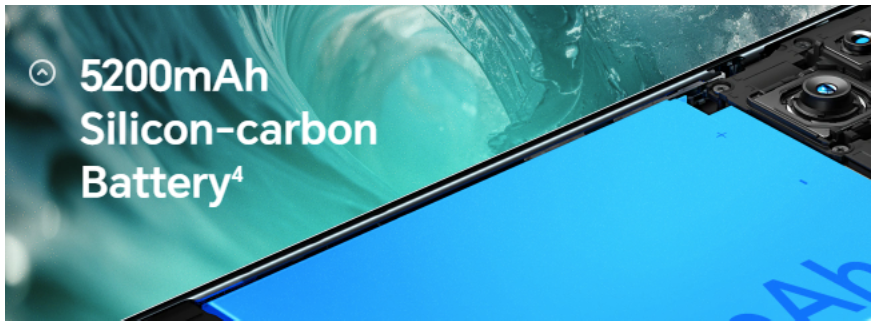
If your smartphone is older and the battery is no longer holding a charge as it should, it might be time to consider a replacement. A new battery can give your old device a new lease on life and is more cost-effective than buying a new phone.
Conclusion: Maintaining Battery Health
Maximizing your smartphone’s battery life is about understanding how your device uses power and taking steps to manage its consumption. By adjusting your settings and being mindful of how you charge and use your device, you can significantly extend both the battery life of a single charge and the overall lifespan of the battery itself. Always keep an eye on your usage patterns and adjust as necessary to ensure your battery lasts longer.For users looking to upgrade, consider the HONOR 200 price in uae. It offers a balance of performance and efficiency, making it a great choice for anyone in the market for a new smartphone.